
Introduction: The WH Questions
To understand why the tech world is suddenly fascinated by a digital lobster, it helps to start with the basics.
Who created it?
The project, originally called Clawdbot, later Moltbot, and now officially OpenClaw, was created by Austrian developer Peter Steinberger, founder of PSPDFKit, in late 2025.
What is it?
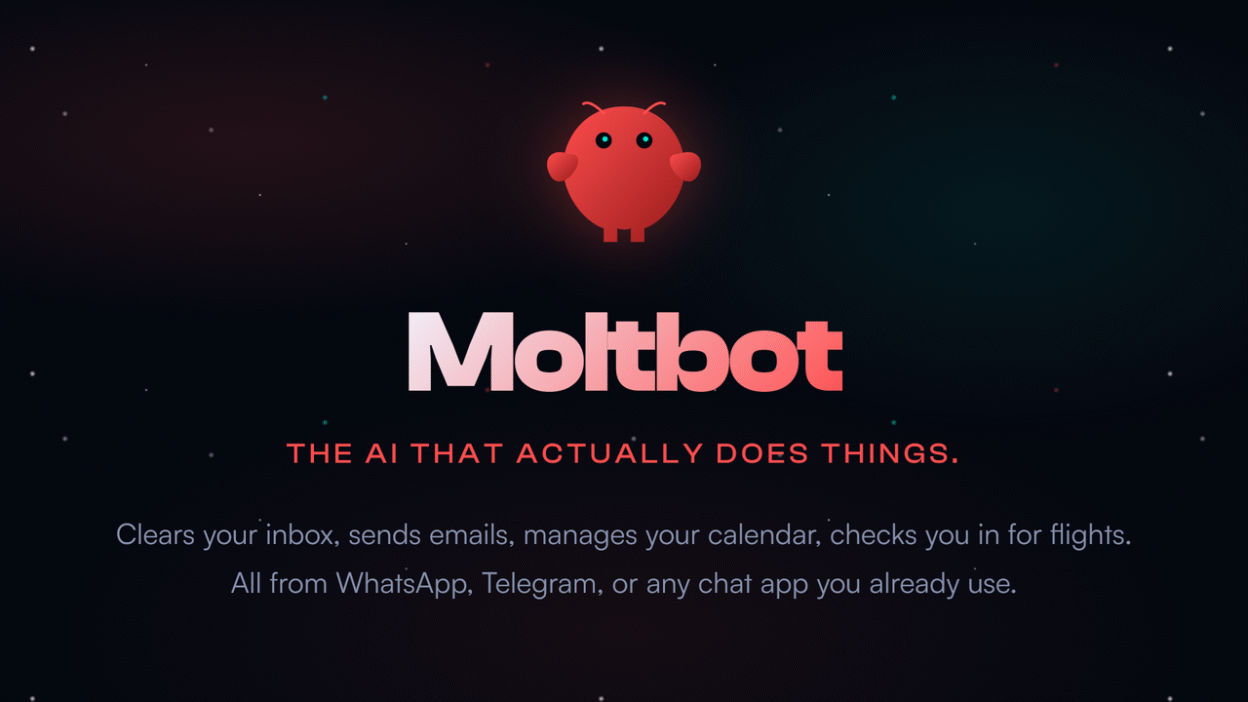
Moltbot is a self-hosted, local-first AI agent. Unlike ChatGPT, which lives in a browser tab, Moltbot runs directly on your computer (Mac, Windows, or Linux). It can read files, execute terminal commands, browse the web, and manage tasks.
Where does it live?
On your own hardware. You interact with it through familiar chat apps such as WhatsApp or Telegram, while it works on your laptop at home or in the office.
When did it take off?
The “Moltbot moment” came in January 2026, when its GitHub repository jumped from around 9,000 to over 100,000 stars in days.
Why is it popular?
Because it represents sovereignty: privacy through local data, proactive behavior, and leverage through automation.
How We Got Here: A Short History
Digital assistants evolved in stages:
- Command era: Siri, Alexa, and IFTTT followed rigid instructions.
- Chat era: Models like ChatGPT were creative but passive.
- Copilot era: Tools such as GitHub Copilot helped inside specific apps.
- Agent era: Moltbot brings system-level access and autonomy.
Under the Hood: How Moltbot Works
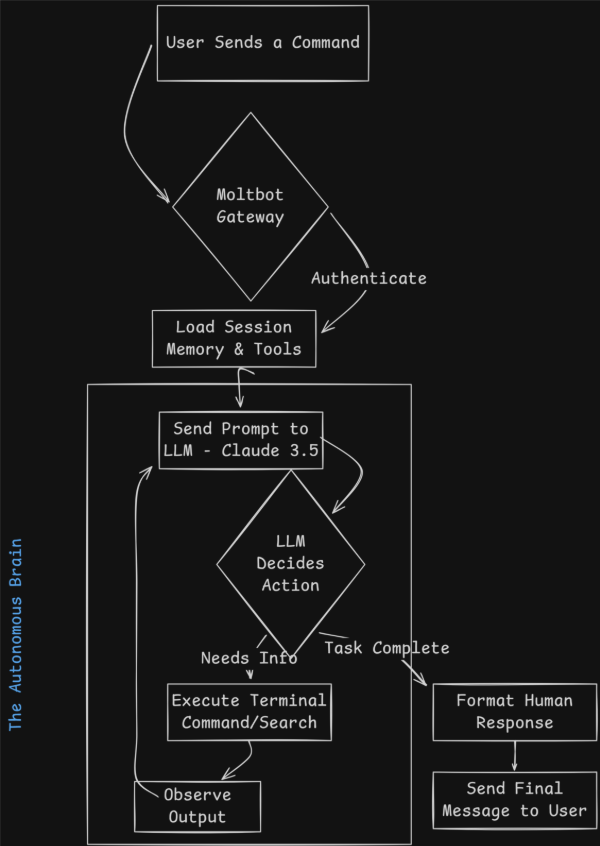
Moltbot follows a headless agent approach. It has no interface of its own and instead borrows chat apps to control the operating system.
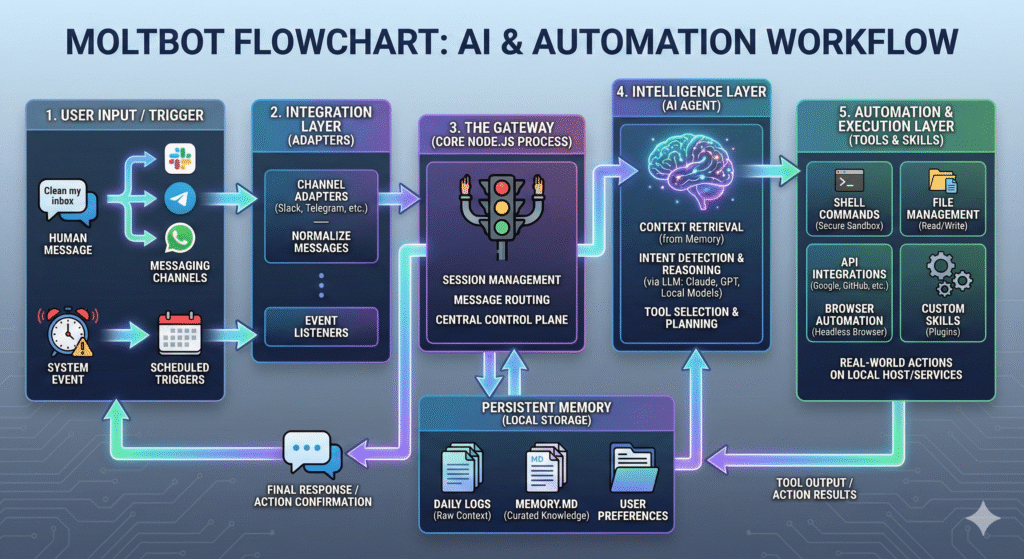
Three-layer architecture:
- Interface: Listens for authorized messages via chat platforms.
- Orchestration: A local Node.js gateway builds context and sends it to an LLM.
- Execution: Approved actions are run locally, and results are returned.
Why It Matters: Practical Use Cases
For businesses:
- Monitoring logistics and drafting updates automatically
- Enriching lead data from public sources
- Generating reports from multiple files
For personal workflows:
- Finding and organizing documents
- Structuring downloads and statements by content
The Comparative Landscape
Compared with cloud-based agents, Moltbot trades convenience for control.
- Free and open source
- Data stays local
- Full control over code and models
Alternatives like AutoGPT and BabyAGI exist, but Moltbot stands out for its local-first, chat-driven approach.
The Good, the Bad and the Risks
Synthesized from GitHub issues, community discussions, and early user reports (Jan–Feb 2026).
The good: Local context, fast access to files, and a powerful “text your computer” experience.
The bad: A steep setup process and the risk of unexpected API costs.
The risks: Overly broad commands can be destructive, and aggressive messaging may trigger chat-platform limits.
Getting Started (High Level)
Note: Basic command-line familiarity is required.
Moltbot is not plug-and-play. Setup involves installing dependencies, linking a chat account, and issuing your first commands to understand what the agent can access.
Looking Ahead
Operating systems will likely absorb similar ideas, local hardware will enable fully offline agents, and agent-to-agent interactions may automate entire workflows.
Conclusion
Moltbot marks a shift toward agency. It turns the computer from a passive tool into an active teammate. The learning curve is real, but the payoff is control, privacy, and leverage, on your own terms.