
Open any design forum or tech feed today and the pattern is impossible to miss.
A new AI design tool appears. A prompt is entered. Seconds later, a polished dashboard, mobile app, or landing page appears instantly.
For many designers, especially beginners, this raises an uncomfortable question: If AI in UX design can generate beautiful interfaces in seconds, what still makes human designers valuable?
The answer has very little to do with visuals.
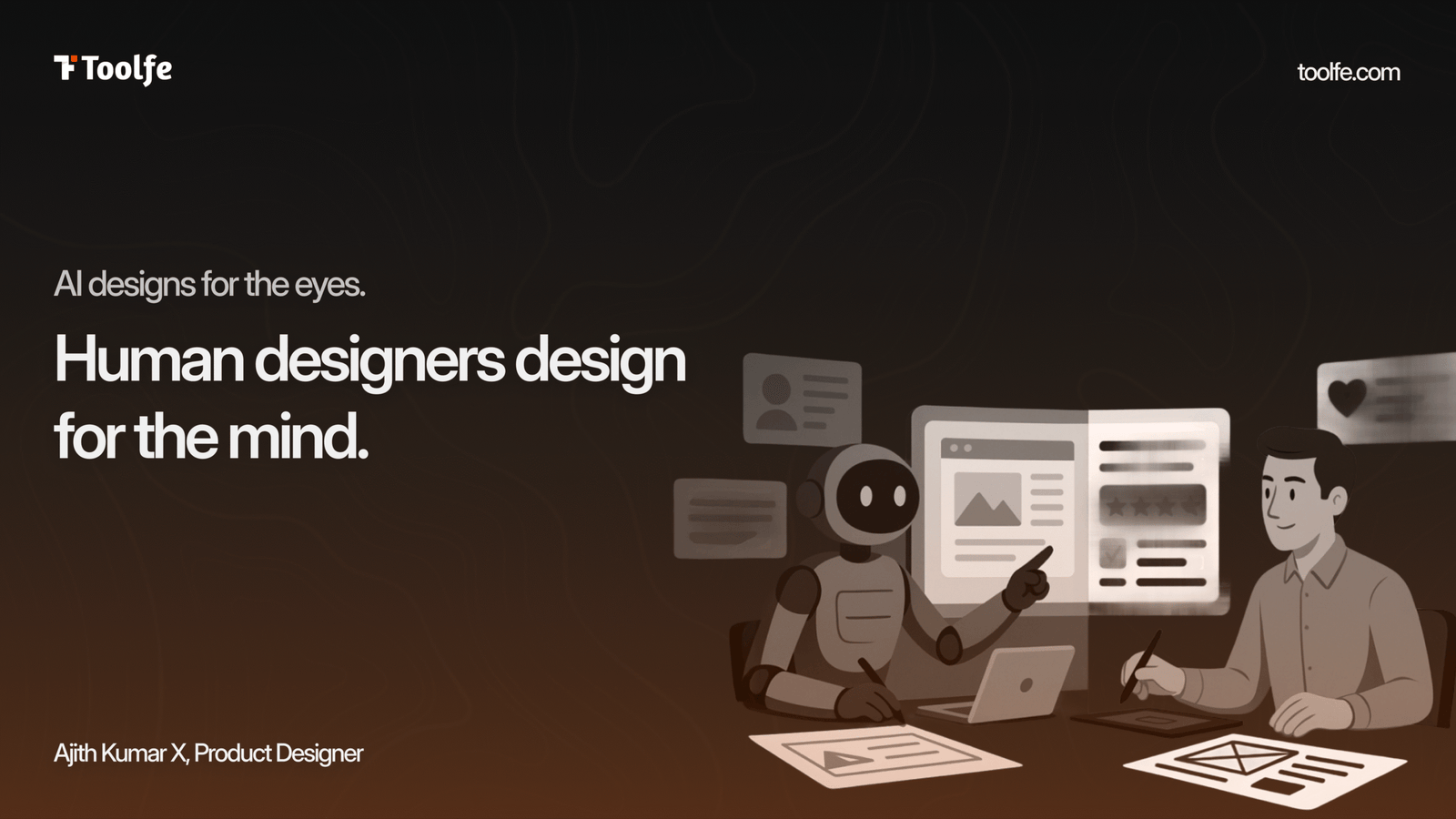
AI designs for the eyes. Human designers design for the mind.
AI in UX design is changing how interfaces are created, but not how human behavior works.
Why AI-Generated UI Often Feels Wrong
A beautiful interface is not automatically a good experience.
Most AI-generated layouts are visually impressive because they are trained on huge volumes of existing design patterns. But interfaces do more than look good. They shape how people think and behave.
AI tends to optimize for visual density and pattern consistency. Human designers optimize for clarity, usability, and mental comfort.
A polished screen can still feel confusing, overwhelming, or emotionally disconnected.
The Problem of Cognitive Overload
Human attention is limited. When an interface contains too many choices or an unclear hierarchy, users experience cognitive overload. Their brains work harder to understand what to do next.
AI tools often generate screens packed with elegant cards, complex visuals, and excessive information because visually, it looks impressive.
But good UX is not about showing more. It is about reducing mental friction.
Whitespace, spacing, hierarchy, and progressive disclosure are not just aesthetic decisions. They are psychological tools that help users focus.
Mental Models Matter More Than Innovation
Users already carry expectations into every product they use.
They expect search bars to behave a certain way. Navigation to appear in familiar places. Checkout flows to feel predictable.
This is the foundation of Jakob’s Law.
AI-generated layouts sometimes break these expectations in subtle ways. Navigation appears in unfamiliar positions, or familiar interactions behave differently.
Even small inconsistencies can make an experience feel unintuitive.
Good UX often depends less on originality and more on aligning with existing mental models.
The Psychology AI Still Misses
AI is excellent at creating polished interfaces.
But great product experiences happen on deeper psychological levels.
Cognitive scientist Don Norman describes three layers of emotional design:
Visceral Design
The immediate visual reaction.
This is where AI in UX design excels. Modern gradients, polished layouts, and premium aesthetics are easy for AI to generate.
Behavioral Design
The experience of using the product.
This is where friction, clarity, feedback, and interaction quality matter. Users should feel confident, in control, and guided naturally through the experience.
Reflective Design
How the experience makes users feel afterward.
Does the product build trust, confidence, or relief?
This requires emotional understanding, context, and empathy. AI can imitate patterns, but it cannot truly understand emotional intent.
Why Product Thinking Still Belongs to Humans
As AI lowers the barrier to visual execution, the value of design shifts elsewhere.
The real advantage is no longer creating screens. It is understanding behavior.
Strong product thinking means asking questions AI cannot answer:
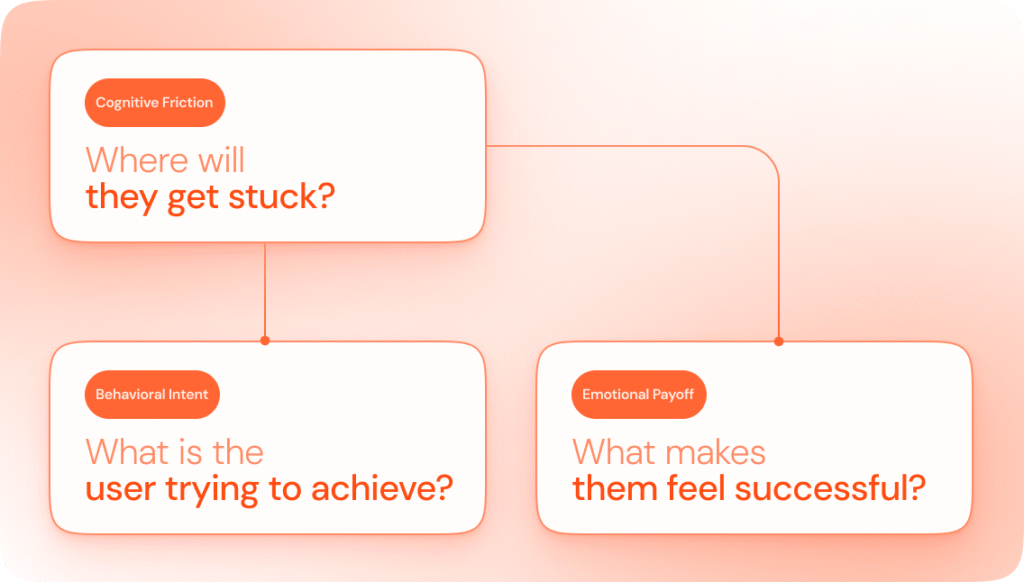
Not all friction is bad.
A banking app asking for confirmation before transferring money is good friction. It slows users down intentionally to prevent mistakes.
Human designers understand when friction should be removed and when it should remain.
Observation Cannot Be Prompted
AI relies entirely on prompts.
Human designers rely on observation.
During usability testing, designers notice things users never explicitly say:
- Eyes wandering across a screen
- Hesitation before clicking
- Confusion hidden behind polite feedback
- Emotional reactions to language or interactions
These insights cannot be generated from a prompt alone.
They come from watching real human behavior.
Those small observations often separate functional products from experiences people genuinely trust.
The Future Workflow Is Collaborative
The future is not AI versus designers.
It is AI supporting designers.
AI can accelerate exploration, generate variations, and automate repetitive work.
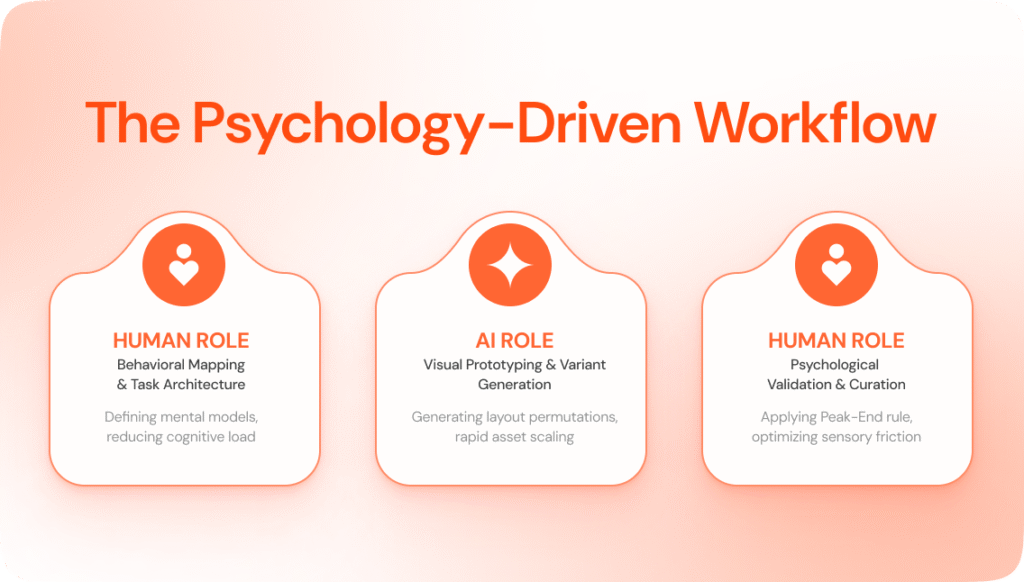
Human designers remain responsible for:
- Behavioral thinking
- Emotional understanding
- Contextual judgment
- Product strategy
- Psychological validation
The machine handles speed. Humans handle meaning.
Closing Thought
As AI tools evolve, creating beautiful interfaces will become easier.
But great design is still about understanding people, not just visuals.
Can AI Replace UX Designers?
AI can make design work faster by generating layouts and handling repetitive tasks. But understanding how people think, behave, and make decisions while using a product still requires humans.