
Introduction
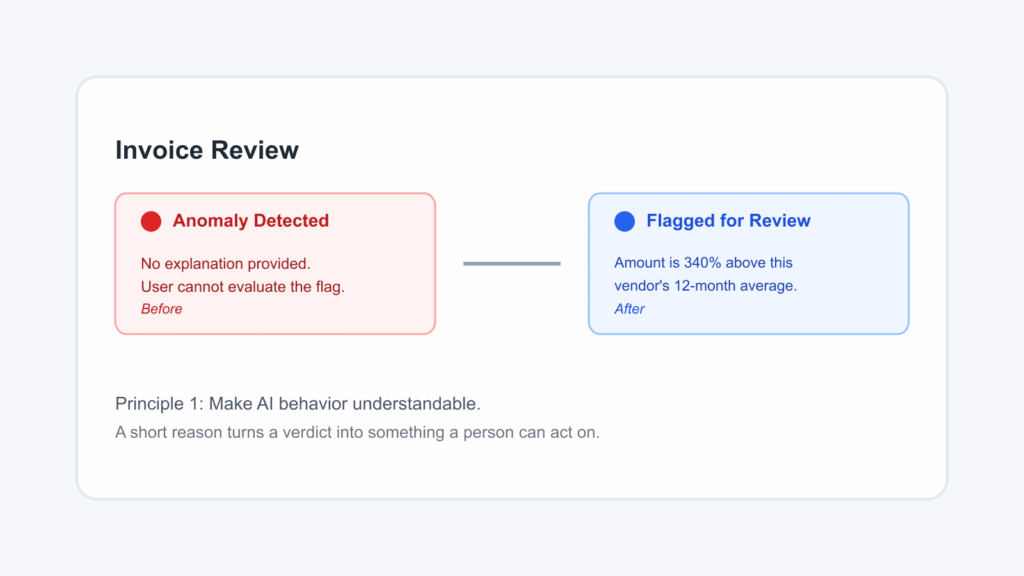
Consider a finance analyst reviewing invoices in an enterprise ERP dashboard. The system flags one transaction: “AI Alert: Anomaly Detected.” There is no explanation, confidence indicator, or option to investigate further.
The analyst cannot tell whether it is a fraud risk, a data entry error, or a genuine transaction that looks unusual. Over time, the alert becomes something employees route around rather than rely on. The model may be accurate. The interface has failed to make that information useful.
This is the core challenge in AI UX for enterprise software. Model performance and user trust are different things. People need to understand, review, and control AI features before they can rely on them in real workflows.
Why Enterprise AI Requires a Different UX Approach
Enterprise software operates under higher stakes and greater complexity than most consumer applications.
Workflows involve multiple stakeholders, decisions can have financial or compliance consequences, and different roles need different levels of explanation. Enterprise AI also works with incomplete and inconsistent data, while people remain responsible for the decisions it supports.
The UX therefore needs to define how AI communicates its reasoning, handles uncertainty, and gives control back to the user.
The 7 Principles of AI UX for Enterprise Software
1. Understanding AI Behavior
AI outputs should give users enough context to evaluate a recommendation. They do not need to understand the underlying model, but they need a reason they can act on.
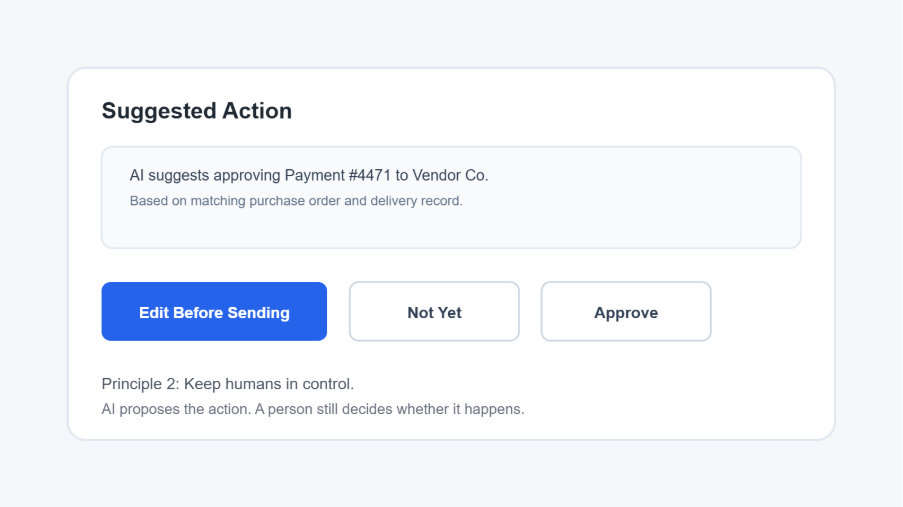
2. Keeping Humans in Control
AI can recommend or propose an action, but users should remain responsible for consequential decisions. Clear options to pause, edit, reject, or override an AI action give people meaningful control over the workflow.
3. Designing for Uncertainty
AI outputs do not all have the same level of reliability. The interface should communicate meaningful differences in confidence so users can decide where their attention is needed.
A high-confidence result may need minimal review, while a low-confidence result may require verification.
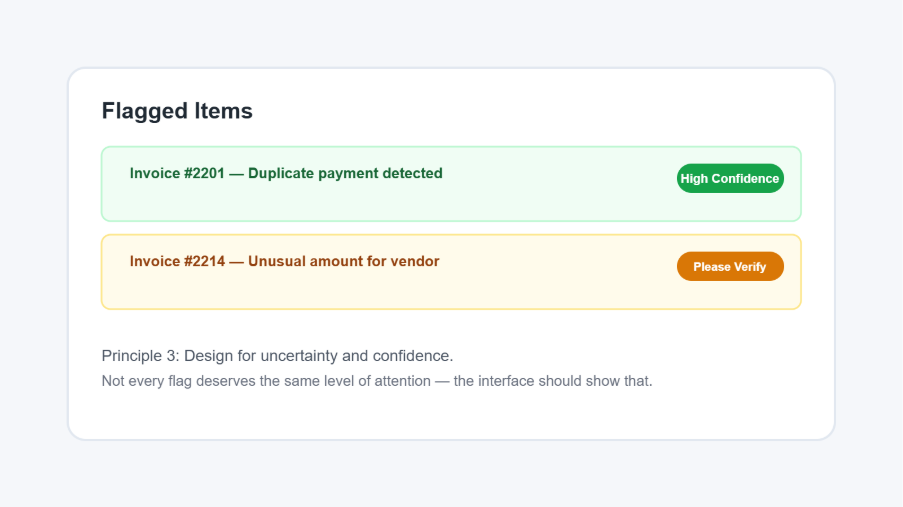
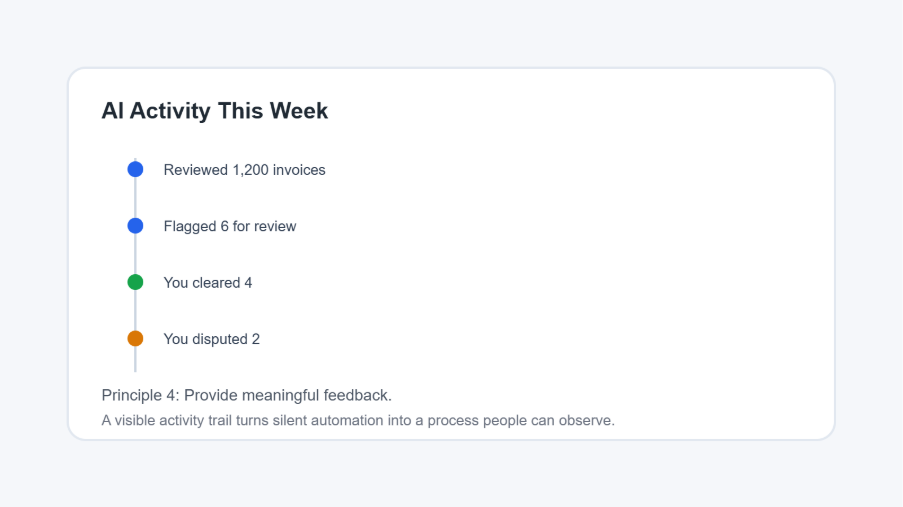
4. Providing Meaningful Feedback
Users need visibility into what AI is doing, not only what it produces.
Showing activity and outcomes over time helps users understand the system’s role in their workflow and builds confidence in automated processes.
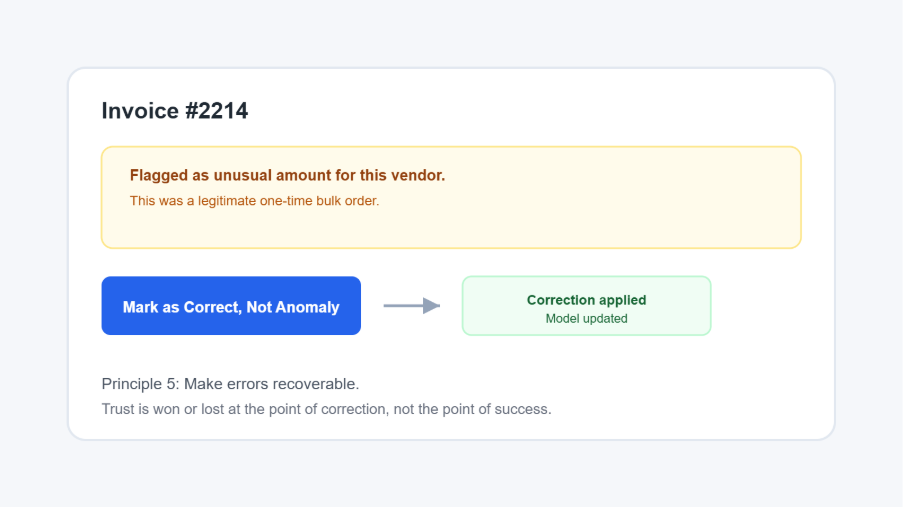
5. Making Errors Recoverable
AI will sometimes make mistakes. What matters is whether users have a simple and visible way to correct them.
A clear recovery path allows users to resolve an incorrect recommendation without abandoning the workflow or losing confidence in the feature.
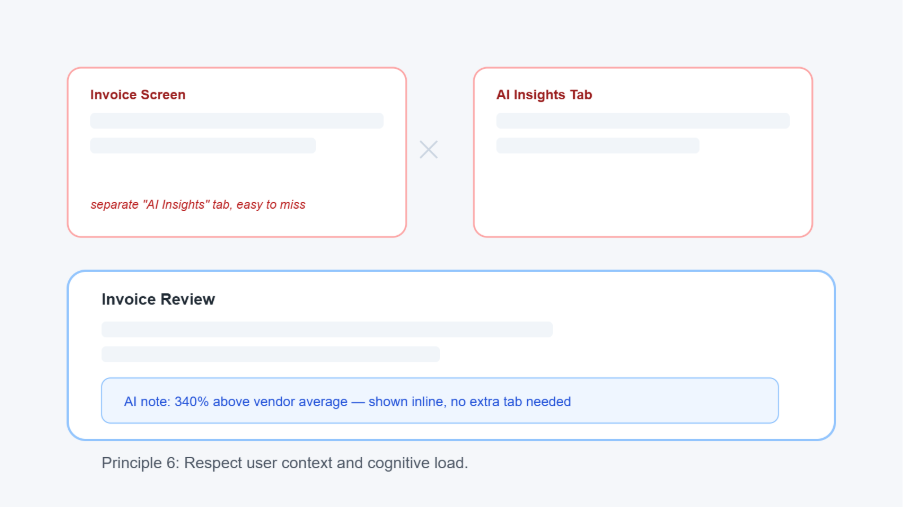
6. Respecting User Context and Cognitive Load
AI should reduce mental effort rather than introduce another layer of interpretation.
When explanations and recommendations appear within the workflow where decisions are made, users can evaluate AI output without switching between systems or learning a separate mental model.
7. Designing AI as a Collaborator
AI should support a decision rather than present itself as the final authority. The interface should preserve human judgment and make it clear that the user remains responsible for the final decision.
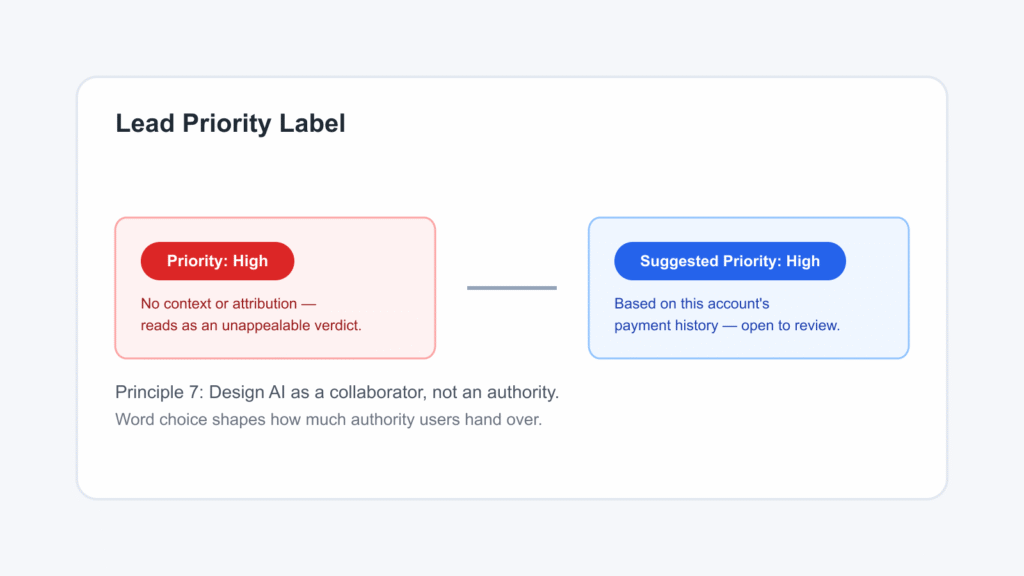
The second approach gives users useful context while preserving human judgment and accountability.
What This Means for Product Designers
These principles shift some UX decisions closer to system behavior.
Designers need to consider:
- AI states: How idle, processing, confident, uncertain, and failed states appear.
- User intent: What the person is trying to accomplish and whether the AI supports that goal.
- Feedback loops: How the system communicates progress and outcomes over time.
- Failure states: What happens when AI receives poor-quality input or produces an incorrect result.
- Intervention points: Where users can pause, correct, or override the system.
AI behavior should therefore be part of the design specification from the wireframe stage rather than something resolved after the interface is built.
This shift also changes the role of the designer. AI Can Generate UI. But It Still Cannot Think Like a Designer explores why human judgment remains essential in AI-assisted design.
The Confidence Score Problem
Consider two ways of presenting the same recommendation.
Version A:
“AI-generated recommendation: 87% confidence.”
Version B:
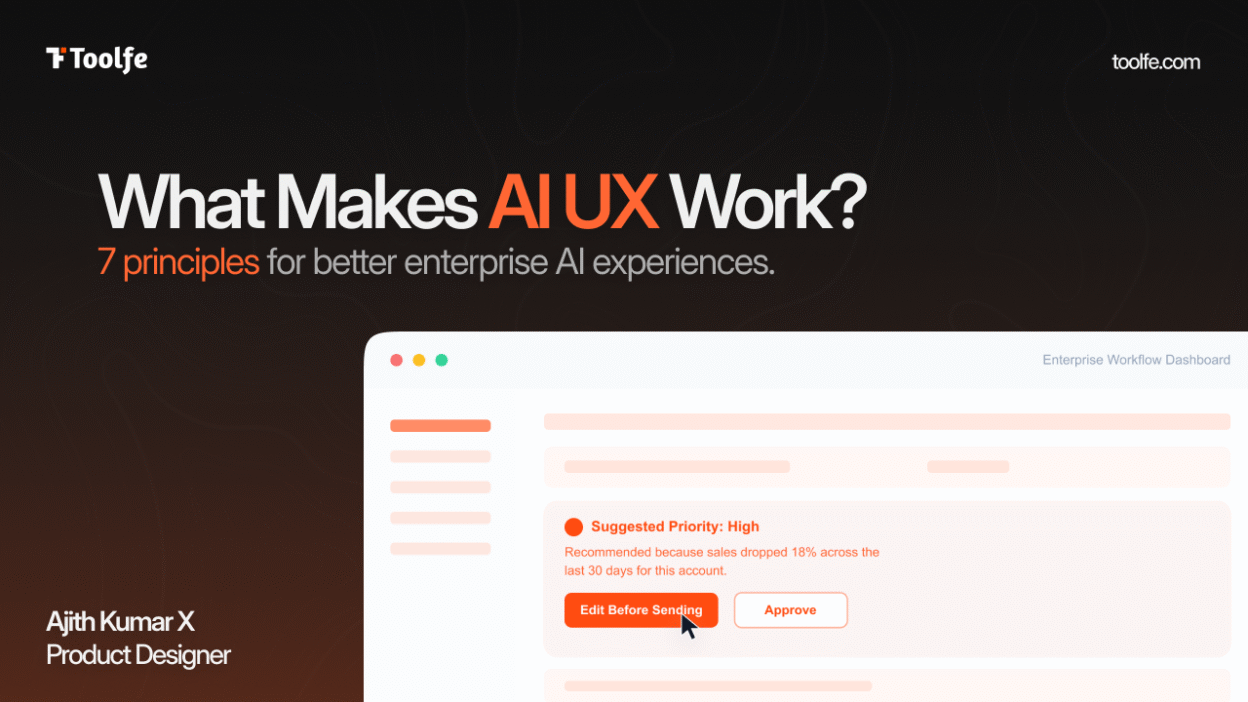
“Recommended because sales dropped 18% across the last 30 days.”
Version A gives the user a number without much context. Version B gives them a reason they can evaluate against what they already know.
Confidence scores are useful when they help users understand uncertainty. On their own, however, they can shift the interpretive work back to the user.
The practical test is simple: Does the AI give users a decision they can reason through, or a number they simply have to accept?
A Practical Checklist for Designing AI Interfaces
Before shipping an AI UX feature for enterprise software, ask:
- Can users understand what the AI is doing and why?
- Can users override or correct the AI when necessary?
- Does the interface communicate uncertainty clearly?
- Are higher-stakes AI recommendations explained?
- Does the AI reduce cognitive effort rather than add to it?
A “no” does not necessarily mean the feature cannot ship. It identifies a gap that should be addressed deliberately.
Once an AI experience is in production, the next question is whether it is actually improving how people work. Measuring UX Success in Enterprise Products: Beyond Aesthetics to Business Impact explores the metrics organizations can use to evaluate that impact.
Frequently Asked Question
What makes users trust AI in enterprise software?
Trust comes from more than accuracy. Users need understandable explanations, appropriate control, clear communication of uncertainty, and an obvious way to correct or override AI decisions when necessary.
Closing Thought
The products that endure will be the ones employees continue to use after the initial novelty fades because the system earns trust through understandable behavior, appropriate control, and clear accountability.
AI capability matters. So does the experience built around it.
For enterprise products, the intersection of these two is where AI becomes something people can actually work with.